
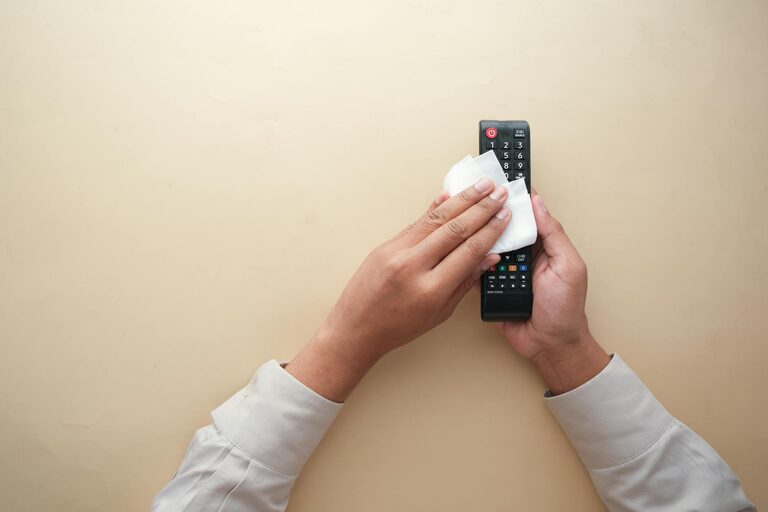
Keeping your phone and keyboard clean is essential not only for hygiene but also for maintaining the longevity and performance of your devices. Both items are used frequently and tend to accumulate dirt, dust, oils, and germs. However, cleaning them incorrectly can lead to damage, so knowing the right methods is key. This guide will walk you through safe and effective ways to clean your phone and keyboard.
Why Regular Cleaning Matters
Phones and keyboards come into constant contact with your hands, face, and workspace. Over time, this can lead to:
– Buildup of bacteria and viruses that may affect health
– Dust and debris accumulation that affects key function and screen clarity
– Residues like oils and dirt that make devices look worn out
Regular cleaning helps maintain hygiene and keeps your gadgets looking and working like new.
Supplies You’ll Need
Before you start, gather safe cleaning materials:
– Microfiber cloths (soft and lint-free)
– Isopropyl alcohol (70% or less concentration) or electronics-safe cleaning spray
– Cotton swabs
– Compressed air canister (optional)
– Soft brush (like a clean toothbrush)
– Distilled water (for diluted solutions)
Avoid abrasive materials, harsh chemicals (like bleach), or too much water, which can damage electronics.
—
How to Clean Your Phone Safely
Phones have delicate screens and various openings, so cleaning should be done carefully.
Step 1: Power Off and Unplug
Always turn off your phone and disconnect it from chargers or accessories before cleaning.
Step 2: Remove Phone Case and Accessories
Clean the case separately with soap and water (if applicable). Dry it thoroughly before reassembling.
Step 3: Wipe the Screen and Body
– Lightly dampen a microfiber cloth with a mix of 50% distilled water and 50% isopropyl alcohol or use an electronics-safe cleaner.
– Gently wipe the screen and phone surfaces. Avoid excess moisture.
– Do not spray liquid directly onto the phone.
Step 4: Clean Ports and Buttons
– Use a dry cotton swab or a soft brush to remove dust from charging ports, speakers, and buttons.
– Use compressed air in short bursts if available, but keep the can upright to avoid liquid blowing out.
Tips for Special Phone Surfaces
– For phones with oleophobic coatings (anti-fingerprint), use alcohol sparingly as it may degrade the coating if overused.
– Glass backs can be cleaned like the screen, but plastic needs gentle handling to avoid scratches.
—
How to Clean Your Keyboard Safely
Keyboards can trap dust, crumbs, and germs between keys. Cleaning them regularly helps maintain functionality.
Step 1: Unplug and Turn Off the Keyboard
For wired keyboards, unplug them. Wireless keyboards should be turned off or have batteries removed.
Step 2: Shake Out Debris
Turn the keyboard upside down and gently shake to loosen debris.
Step 3: Use Compressed Air
Blast compressed air between the keys to remove dust and crumbs.
Step 4: Wipe the Keys and Surface
– Dampen a microfiber cloth with a mild solution of water and isopropyl alcohol (or an electronics-safe cleaner).
– Wipe the tops and sides of the keys and the keyboard surface carefully.
Step 5: Clean in Between Keys
– Use cotton swabs dipped in the cleaning solution to get in tight spaces.
– Alternatively, a soft brush can help dislodge stubborn dirt.
Optional: Cleaning Removable Keys
– Some keyboards allow removal of keys. If you’re comfortable, gently pop off keys and soak them in mild soap and water, then dry completely before reassembling.
– Refer to your keyboard’s manual to avoid damage.
—
General Tips for Both Devices
– Avoid spraying liquids directly on devices. Always apply to cloth first.
– Do not use bleach, ammonia, or abrasive cleaners.
– Use gentle pressure when cleaning screens and keyboards to prevent damage.
– Allow devices to dry thoroughly before turning back on.
– Clean your devices regularly: aim for once a week for keyboards and every few days for phones during flu seasons.
—
Conclusion
Regular, safe cleaning of your phone and keyboard can significantly reduce germs and maintain your devices’ appearance and functionality. With just a few household items and careful techniques, you can keep your electronics clean without worry. Remember to be gentle, avoid excessive moisture, and turn off your devices before starting. A little maintenance goes a long way in keeping your tech fresh and working well.
—
By incorporating these simple steps into your routine, you contribute not only to your personal hygiene but also to the longevity of your favorite devices. Happy cleaning!